
English · Italiano

StarLight is a free, open source program for Windows dedicated to processing astronomical images. It guides the work from the capture files to the finished image, through a step-by-step path in which every automatic choice remains adjustable and explained.
It is designed first and foremost for stacked captures, that is, for adding up many shots of the same object to bring the signal out of the noise; it also helps improve a single image that is already stacked, for example one produced by a telescope.
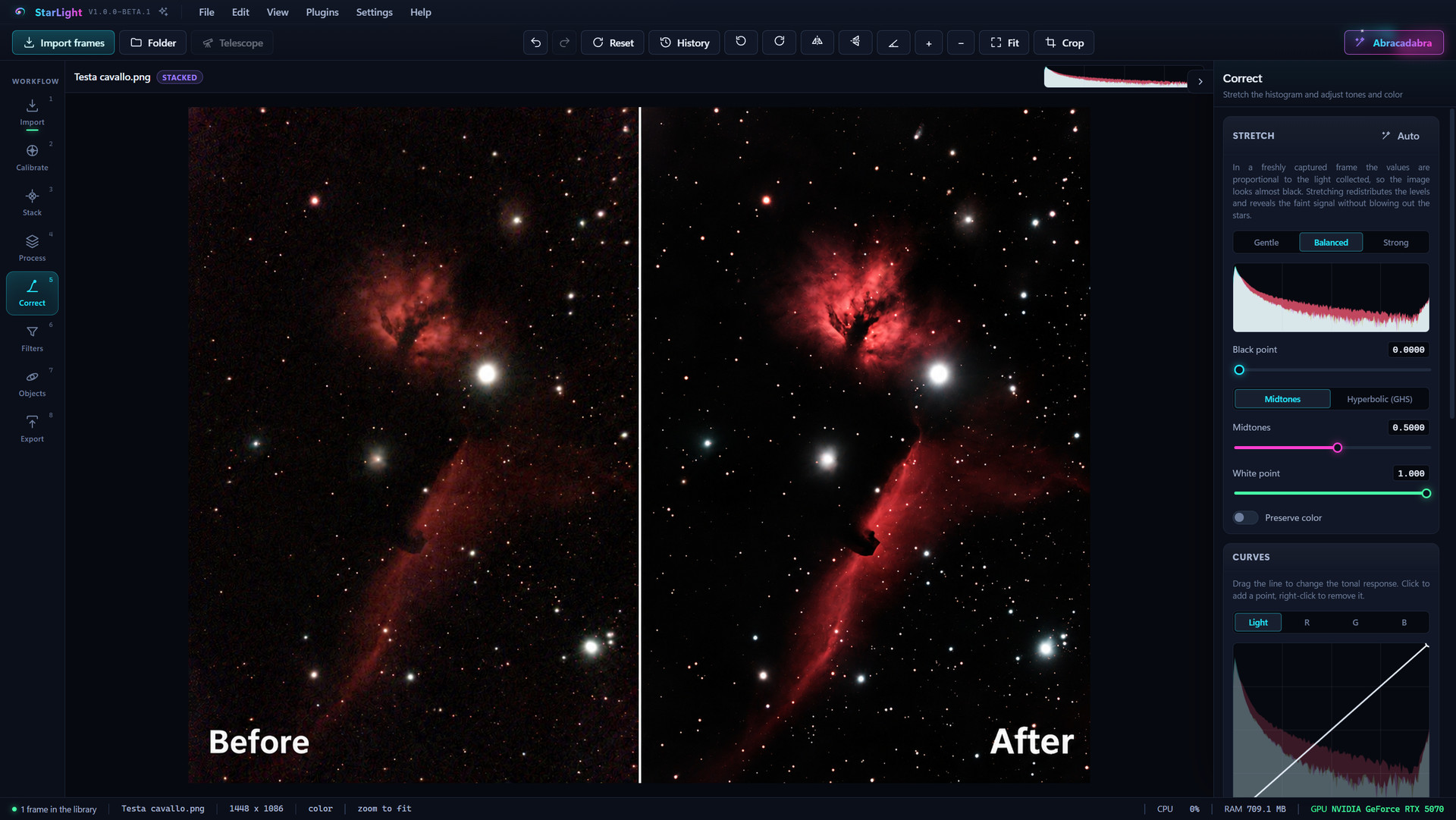
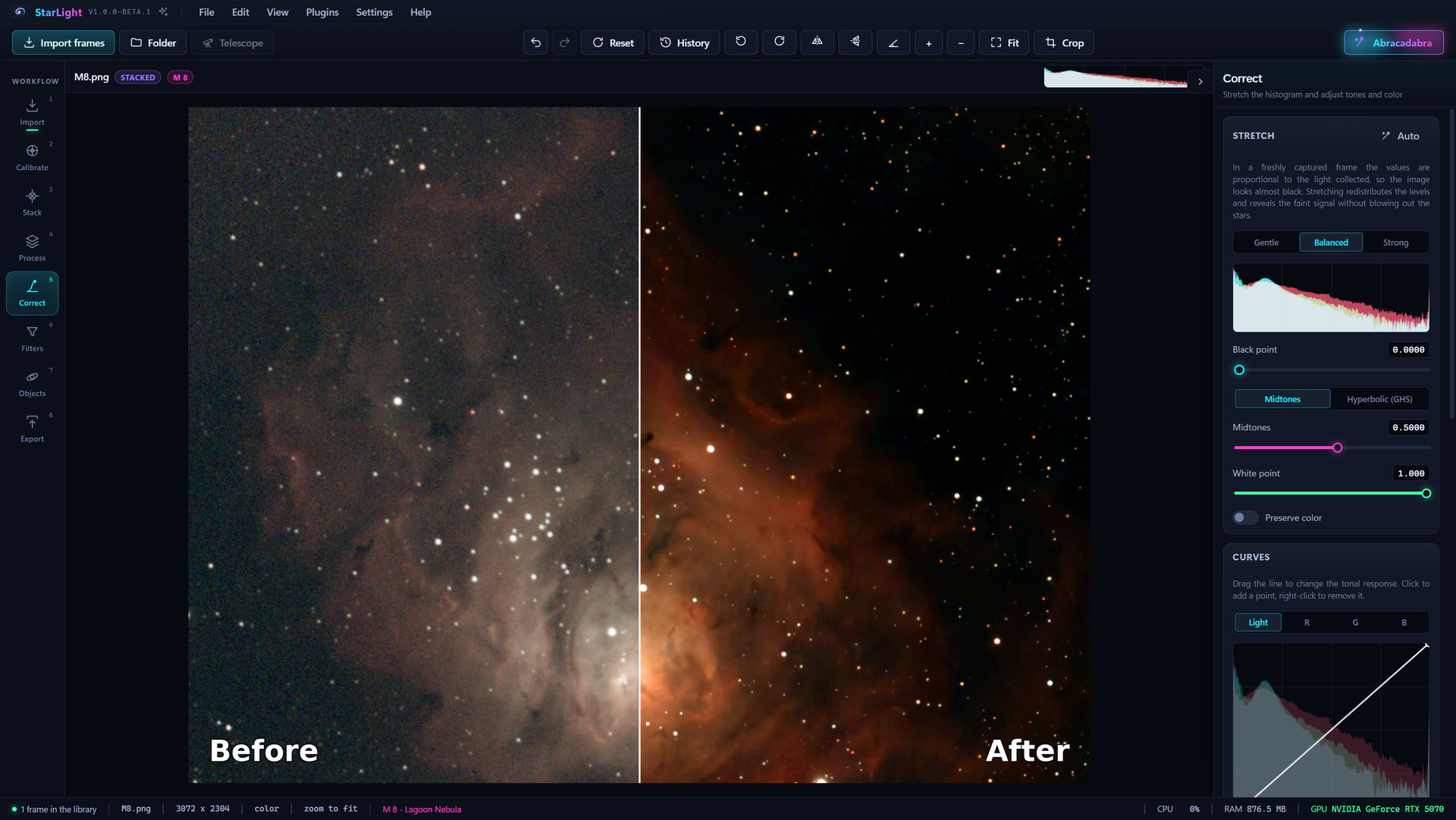 |
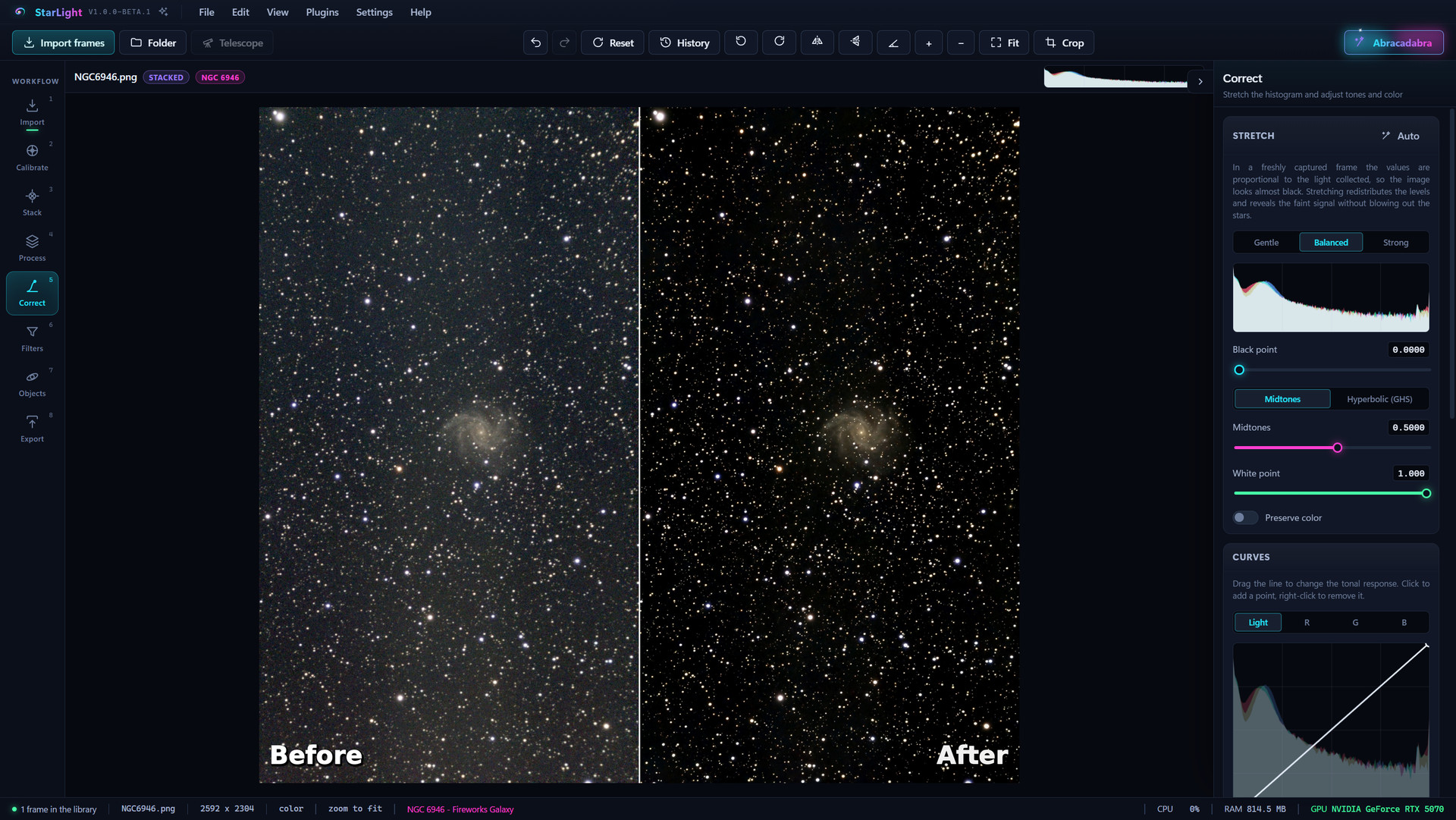 |
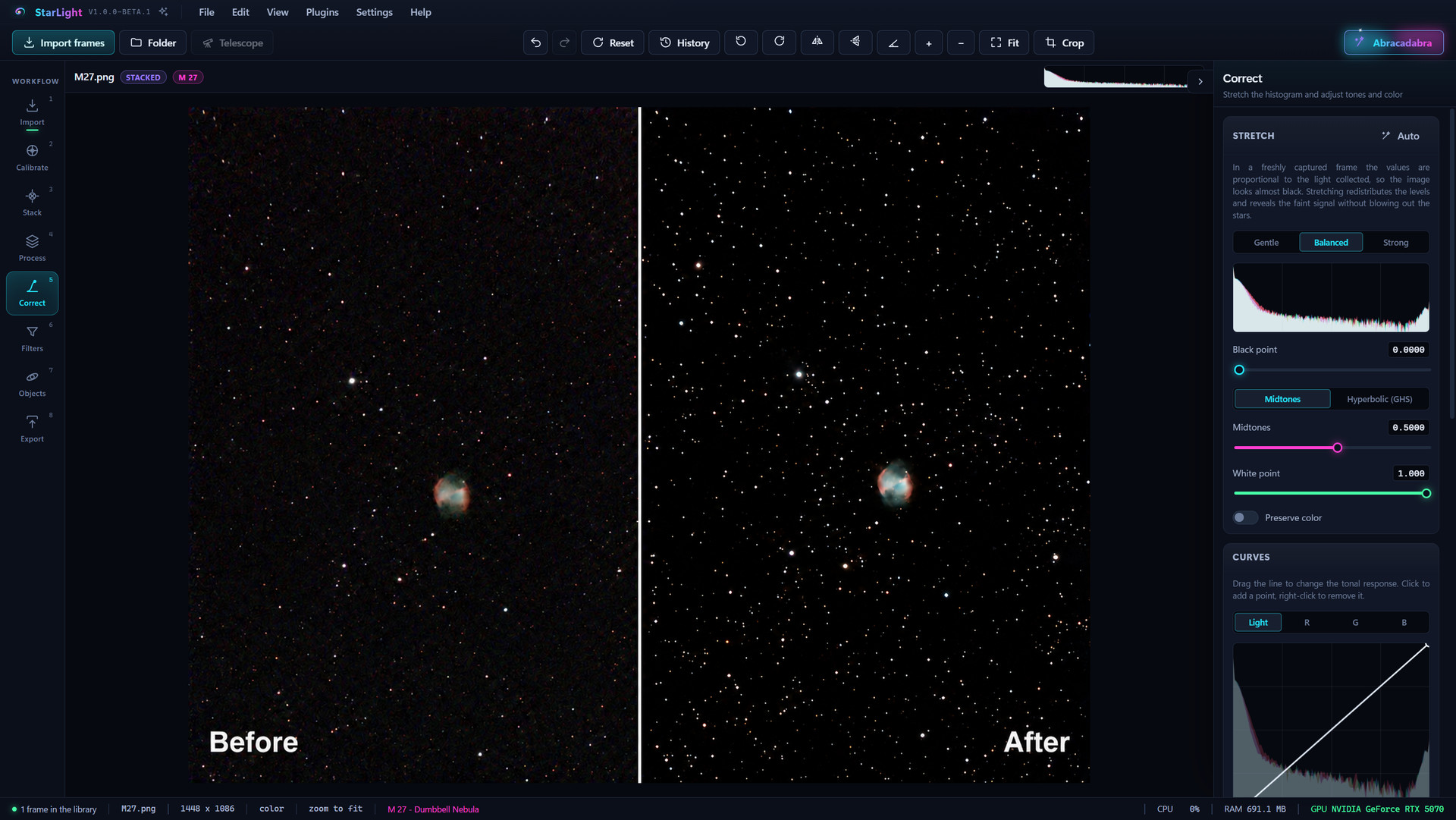 |
| Lagoon Nebula (M 8) | Fireworks Galaxy (NGC 6946) | Dumbbell Nebula (M 27) |
Amateur captures by the author, before and after processing with StarLight.
The work follows eight steps, in the order in which they appear in the program.
- Import: loads single files or an entire folder. StarLight recognizes on its own the sky shots, the calibration frames and the files that are already stacked, reading only the header, so even hundreds of files load in a few moments.
- Calibrate: builds the masters (dark, flat, bias) and applies them to the shots, automatically separating frames captured under different conditions (exposure, gain, temperature, filter, night).
- Stack: aligns the stars of every frame, discards the blurred ones and adds up the others, removing satellite trails and cosmic rays.
- Process: correction of defects and of the sky background, satellite trails, color calibration, deconvolution, noise reduction, details by scale, narrowband, star reduction, local contrast and plugins.
- Correct: histogram stretching, curves, tones and color, local adjustments with masks.
- Filters: photographic filters for color rendering, from sepia to false color, plus noise reduction, sharpening and vignetting.
- Objects: recognition of the deep sky objects in the field of view, marked on the image with a circle and their name.
- Export: saving the image in the desired format and size.
Alongside the steps, the following are available:
- Abracadabra: a button that measures the image, adjusts the Process and Correct tools and summarizes the corrections made. Every value remains editable, and Reset returns the image to the original.
- Object recognition and plate solving: if the file does not already contain the astrometric solution (the correspondence between each pixel and a point in the sky), StarLight computes it by comparing the stars in the photo with a catalog, even without internet when the star package is installed.
- Live session: monitoring of the folder where the capture program saves the frames, with the stack updated during the capture.
- Mosaic: joining of several neighboring fields of view into a wider field, with matched background and brightness and blended edges.
- Drizzle: adding up the frames on a grid with twice the pixels per side, taking advantage of the small shifts between one shot and the next.
- HDR merge: joining of series captured with different exposures, to preserve both the faint and the bright parts.
- Comets: stacking with the stars fixed, the comet fixed, or both.
- Plugins and additional catalogs: a gallery of free and open source additional tools, expandable with personal plugins, and downloadable object catalogs in addition to the included one.
- Caption on export: a line or a card with the object, the capture data and the author's name, drawn on the exported image.
- Batch processing: the same recipe applied to several images, with one file for each.
- Automatic updates: a notice when a new version comes out and, on request, installation.
Input
- FITS, including tile-compressed ones (
.fzfiles) - XISF
- TIFF
- PNG
- camera RAW (CR2, CR3, NEF, ARW, RAF, ORF, RW2, PEF, DNG and others)
JPEG files are not accepted, because lossy compression erases precisely the faint details that astronomical processing must bring out.
Output
- FITS at 16 or 32 bits, with the shot data and the astrometric solution
- TIFF at 8 or 16 bits per channel
- PNG, BMP
- JPEG, WebP (lossy, for sharing)
Object markers can also be drawn into PNG, JPEG and WebP files.
- Open the project's Releases page.
- Download the
StarLight-Installer-<version>.exefile of the latest version. - Run it and follow the instructions. The installation is for the current user and does not require administrator permissions.
Windows 10 or Windows 11, 64-bit, is required.
- Windows 10 or 11, 64-bit
- a graphics card with WebGL 2 (any recent integrated or dedicated card will do)
- memory: at least 8 GB, 16 GB recommended, 32 GB or more for full frame sensors with many frames
- about 380 MB of space for the program, plus a few MB for each optional catalog
The details, including the number of frames that can be stacked depending on memory, are in docs/requirements.md.
- No account, no usage statistics, no diagnostic data sent, no advertising.
- Images stay on the computer and StarLight never sends them over the network.
- Internet is used only if allowed (Settings, Network and catalogs tab), and only for three purposes: checking for and downloading updates, downloading the chosen catalogs, querying the Gaia catalog for color calibration and plate solving. In the latter case, only the coordinates of the image center are sent.
- Settings, recovery copies, catalogs and the error log are stored in
%APPDATA%\StarLight.
The full text is in the program's About StarLight window, in the "Privacy and data" section.
Windows 10 or 11, 64-bit, and Node.js 22 are required.
npm install        installs the dependencies
npm run dev        starts StarLight in development mode, with automatic reloading
npm run test       runs the type check and all the automated tests
npm run dist       runs the quick tests and builds the installer and the portable version in dist-build
npm run test -- --list shows the list of tests, npm run test -- --only plugin runs only
some of them, npm run test -- --quick skips the slow ones.
Some tests work on real images and test frames that are not part of the project. To run them, you need
a folder with those files and a test-data.json file that maps each role used by the tests (for example m27 or
synthetic-frames) to the relative path of the file or folder; the folder is specified with the environment variable
STARLIGHT_TEST_DATA. If the folder is missing, those tests are skipped and do not count as failed. The details
are in docs/testing.md.
- Bug reports: bugs are reported in the Issues section. It helps to attach the error log, which can be
copied from the Help menu and in which the user name already appears replaced by
%USERPROFILE%. - Plugins: new tools written in JavaScript, run isolated from the rest of the program. The complete guide is in docs/plugin.md.
- Catalogs: object catalogs with openly licensed data. The guide is in docs/catalogs.md.
- Translations: StarLight is available in Italian and English. Adding a language takes no programming: the guide is in docs/translating.md. Offers of help with other languages are welcome in the Issues section.
StarLight is distributed under the GNU General Public License version 3 or later (GPL-3.0-or-later). It can be used, studied, modified and redistributed under its terms. The program is provided without warranty of any kind.
StarLight uses works by other authors, including the OpenNGC catalog, each under its own license. The complete list is in the License and credits window (Help menu) and in the THIRD-PARTY-NOTICES.md file.
StarLight is free and will remain so. Anyone who wishes to support its development can make a contribution on Ko-fi.
StarLight is developed by FM Digital Tools. Questions, suggestions and bug reports are welcome in the Issues section. More about StarLight on fmdigitaltools.com.